Icon
Icon IRD/IDD Series Data Collection Display
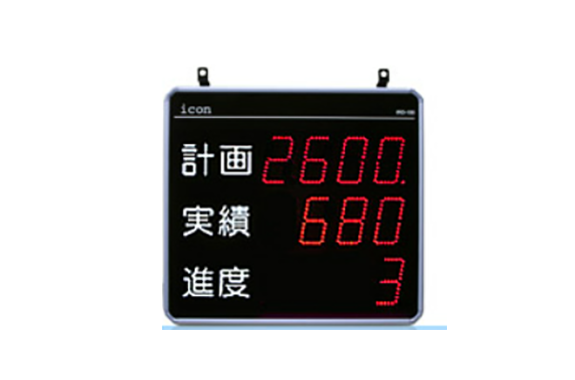
Manufacturer: Icon Co., Ltd.
Model: IRD/IDD Series
Lineup
Single-sided display
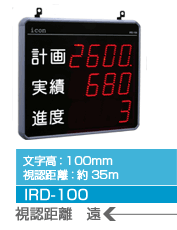
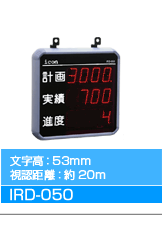
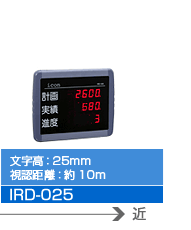
Double-sided display
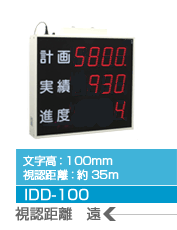
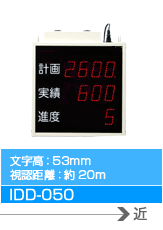
We have a wide variety of display patterns available. Please choose the one that best suits your site.
IRD-100 series (single-sided)
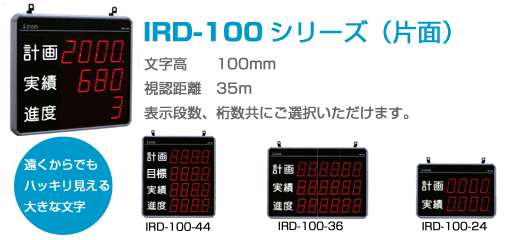
| Display row number | Number of digits displayed | Product Model |
|---|---|---|
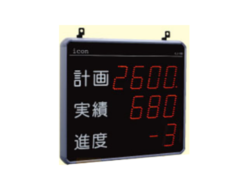
| 2 tiers | 4 digits | IRD-100-24 |
| 6 digits | IRD-100-26 | |
| 3 steps | 4 digits | IRD-100-34 |
| 6 digits | IRD-100-36 | |
| 4 steps | 4 digits | IRD-100-44 |
| 6 digits | IRD-100-46 |
IRD-050 series (single-sided)
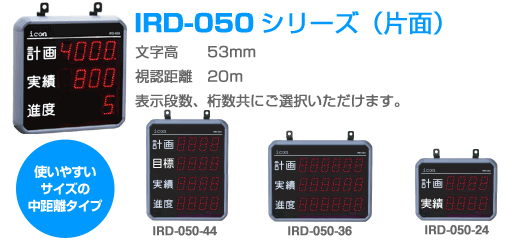
| Display row number | Number of digits displayed | Product Model |
|---|---|---|
| 2 tiers | 4 digits | IRD-050-24 |
| 6 digits | IRD-050-26 | |
| 3 steps | 4 digits | IRD-050-34 |
| 6 digits | IRD-050-36 | |
| 4 steps | 4 digits | IRD-050-44 |
| 6 digits | IRD-050-46 | |
| 5 steps | 4 digits | IRD-050-54 |
| 6 digits | IRD-050-56 | |
| 6 steps | 4 digits | IRD-050-64 |
| 6 digits | IRD-050-66 | |
| 7 steps | 4 digits | IRD-050-74 |
| 6 digits | IRD-050-76 |
IRD-025 series (single-sided)

| exterior | Display row number | Number of digits displayed |
|---|---|---|
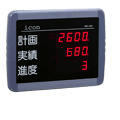 | 2 tiers | 4 digits |
| 6 digits | ||
| 6 digits | IRD-020-36 (6 digits, character height 20mm, visible distance: approx. 7m) | |
| 4 steps | 4 digits | |
| 6 digits |
IDD-100 series (double-sided)

| exterior | Display row number | Number of digits displayed | Product Model | External dimensions | remarks |
|---|---|---|---|---|---|
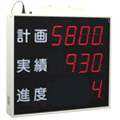 | 2 tiers | 4 digits | IDD-100-24W | Download PDF | |
| 6 digits | IDD-100-26W | Download PDF | |||
| 3 steps | 4 digits | IDD-100-34W | Download PDF | ||
| 6 digits | IDD-100-36W | Download PDF | |||
| 4 steps | 4 digits | IDD-100-44W | Download PDF | ||
| 6 digits | IDD-100-46W | Download PDF |
IDD-050 series (double-sided)

| exterior | Display row number | Number of digits displayed | Product Model | External dimensions | remarks |
|---|---|---|---|---|---|
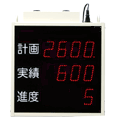 | 2 tiers | 4 digits | IDD-050-24W | Download PDF | |
| 6 digits | IDD-050-26W | Download PDF | |||
| 3 steps | 4 digits | IDD-050-34W | Download PDF | ||
| 6 digits | IDD-050-36W | Download PDF | |||
| 4 steps | 4 digits | IDD-050-44W | Download PDF | ||
| 6 digits | IDD-050-46W | Download PDF |
Lineup notation explanation
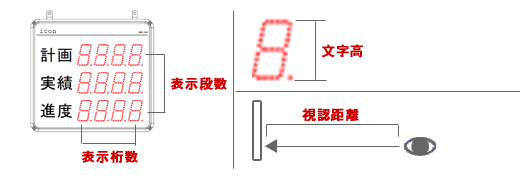
Extensive display functions
- You can freely select from 29 different “display types” for each display row.
With a three-row display, there are approximately 22,000 possible combinations. - Even if the management content changes depending on the improvement steps, you can respond by simply changing the settings.
- Sometimes you may want to check data that is not normally displayed. At such times, you can view the desired data at any time by operating a command.
- Measurement results of completed plans (Max30 plans) are stored in memory, so past results can be checked and displayed by command operation from the setting device.
Display type setting example
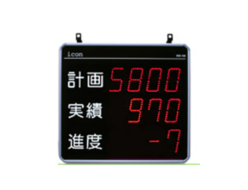
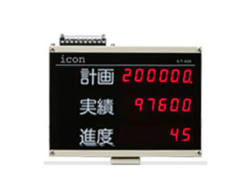
You can freely select from 29 different display types for each display stage and display them at all times.
Even if the management content changes depending on the improvement step, you can respond by simply changing the settings.
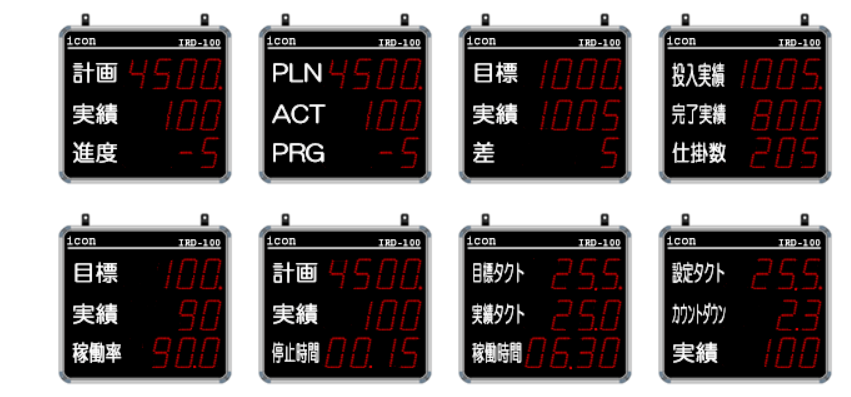
The following data can be collected:
- Number data
- Number of results, number of defects, number of stops, etc.
- Time Data
- Operating time, downtime, setup time, actual takt time, etc.
- Calculated data
- Progress, remaining quantity, achievement rate, operation rate, defect rate, average takt, etc.
(Calculated based on the above data and settings.)
Highly versatile
A wide range of settings allows you to configure the system to suit your site.
System Settings
With 20 settings, you can configure it to suit your needs at the site.
Setting items
- Plan termination conditions
- Display contents (29 types)
- Number of digits displayed
- Output contents
- Sensor Sensitivity
- LED brightness
- Setting takt unit
- Subtraction of actual results when entering defective items
- Auto Start
- Prescale forward/reverse
- Subtraction input target
- Setup time display
- Cumulative total display
- Target number count when stop input is ON
- Target number counting by external input
- Target number counting automatically stops
- Scheduling Extensions
- Time display during breaks
- External Start/Stop Input
- Clear Time
Scheduling
On-site work hours (working hours) can be set in up to 16 sections and 3 patterns.
This setting makes it possible to measure work hours and break times separately.
Setting items
- Start time
- End time
- Clear Time
Product number setting
Set and register the measurement conditions for the products you are producing. Up to 30 product numbers can be registered.
Setting items
- Setting tact
- Prescale
- Setup time
- Delay limit
- Defective limit number
- Masking Time
Planning
This is the setting for the production details for one day. Set and register the product number and quantity in the order of production. You can register up to 30 plans.
Setting items
- Selected product number
- Planned number
- Estimated end time
Simple Settings
While pursuing versatility, we have also taken care to minimize the number of settings that must be made.It can also be used in a simple way, such as by setting and displaying “only the set takt time” or “only the planned number.”
Useful features
- Auto Start/Clear Time
- You can skip the daily repetitive operations.
- Clock Features
- This allows for more realistic counting operations that take break times into account.
- Memory save
- Settings and measurement data are retained even when the power is turned off,
eliminating the need to reset the settings after a power outage or long vacation. - Serial communication
- Serial communication (RS485) functionality is included as standard.
The optional dedicated PC software ” Leader ” allows for even more advanced on-site information management. - Wide power supply compatibility
- The wide power input (AC100V to 240V) allows you to use the unit with the standard specifications without having to worry about differences in power voltage when traveling overseas.
General specifications
| item | IRD-025-34 | IRD-050-34 | IRD-100-34 | IDD-050-34W | IDD-100-34W | ||
|---|---|---|---|---|---|---|---|
| Rated voltage | AC100-240V 50/60Hz | ||||||
| Allowable voltage fluctuation range | 90% to 110% of the rated voltage | ||||||
| Operating temperature range | 0 to +40°C (no freezing or condensation) | ||||||
| Storage temperature range | -20 to +60°C (no freezing or condensation) | ||||||
| Ambient humidity | 35 to 85% RH | ||||||
| Dimensions (unit: mm) *Excluding protrusions | beside | 300 | 336 | 578 | 315 | 570 | |
| vertical | 231 | 336 | 528 | 315 | 520 | ||
| Depth | 56 | 58 | 58 | 120 | 120 | ||
| weight | Approximately 1.7kg | Approximately 2.9 kg | Approximately 5.7kg | Approximately 5.3kg | Approximately 12kg | ||
| Color/(Material) | outer wall | Purple (ABS UL95-V0) | Ivory White (SPCC) | ||||
| Back | Light gray (SPCC) | Black (SPCC) | |||||
| Display surface | Clear purple (acrylic) | ||||||
| Power consumption | Max 5.5W | Max 12W | Max 29W | Max 22W | Max 58W | ||
| accessories | common | Power cord (5m) – 1 pc. Instruction manual – 1 pc. | |||||
| setting device | S | Wired setting device (cable length 5m) x 1, magnetic sheet x 1 | |||||
| NR | Infrared setting device x 1, AA batteries x 2, infrared receiving unit x 1 | – | |||||
| NJ | Infrared receiving unit x 1 | – | |||||
| NRB | – | Infrared setting device x 1, AA batteries x 2 (built-in infrared receiver) | |||||
| NJB | – | None (built-in infrared receiver) | |||||
*For dimensions, weight, and power consumption of models other than the 3-row, 4-digit model, please refer to the IRD/IDD series catalog .
Functional specifications
| item | IRD-025 | IRD-050 | IRD-100 | IDD-050 | IDD-100 | |
|---|---|---|---|---|---|---|
| function | Data collection and display | |||||
| display | Display characters | Display LED 7-segment display | ||||
| Character height | 25mm | 53mm | 100mm | 53mm | 100mm | |
| (visibility distance) | Approximately 10m | Approximately 20m | Approximately 35m | Approximately 20m | Approximately 35m | |
| Display type | Numbers, negative signs, and decimal points | |||||
| Display row number | 3 | 2 tiers/3 tiers/4 tiers | ||||
| Number of digits displayed | 4 digits/6 digits (The 6-digit type of IRD-025 has a character height of 20 mm and a visible distance of approximately 7 m.) | |||||
| Display surface | One side | Double-sided | ||||
| brightness | 4 levels of adjustment | |||||
| Display Data | Select one type for each stage from 29 types of display data (user can change settings) Plan number / Target number / Actual number / Progress / Operating rate / Achievement rate / Number of defects / Stop time / Remaining number 1 / Actual takt / Average takt / Takt countdown / Defect rate / Time progress 1 / Number of stops / Operating time / Measurement time / Current time / Reverse prescale count / Remaining setup time / Current plan number / Current part number / Actual 1 input takt number / Actual 2 input takt number / Remaining number 2 / Set takt / Setup elapsed time / Average takt of the past 10 times / Time progress 2 | |||||
| input | Input items | Achievement 1, Achievement 2 (or external start/stop) , fault (or target input), subtraction, stop, end, all clear | ||||
| Input specifications | No-voltage input, short-circuit impedance: 1 kΩ or less, short-circuit residual voltage: 1.5 V or less , 0 Ω short-circuit current: Approx. 7mA , … | |||||
| output | Output items | 4 points (select from 4 items: resting, achieved, stopped, delay alarm, fault alarm, measuring, target pulse, operating, setup, and takt over) | ||||
| Output Specifications | Open collector output (NPN) Applied voltage: DC24V max, Applied voltage: DC100mA (per terminal) Residual voltage: 0.5V or less | |||||
| External power supply | DC5V 120mA max | DC12V 120mA max, | ||||
| communication | 1 port Communication standard: RS485 Function: Communication with process data collection software Leader (changing various settings, obtaining measurement results, executing commands, etc.) Maximum number of connected units: 30 Maximum total wiring distance: Approximately 1 km | |||||
| (clock accuracy) | Less than 1 second/day (AC100V 25℃) | |||||
| (memory retention) | More than one month after fully charged | |||||
| Number of schedule registrations | Maximum 16 divisions of work time (per pattern) x 3 patterns | |||||
| Number of clear times registered | max 3 | |||||
| Number of registered product numbers | Up to 30 product numbers | |||||
| Planned registration number | Up to 30 plans | |||||
*Note: Items in parentheses are reference values. The values in the table above are not guaranteed.
REQUEST QUOTATION

PAYMENT

LINK