Icon
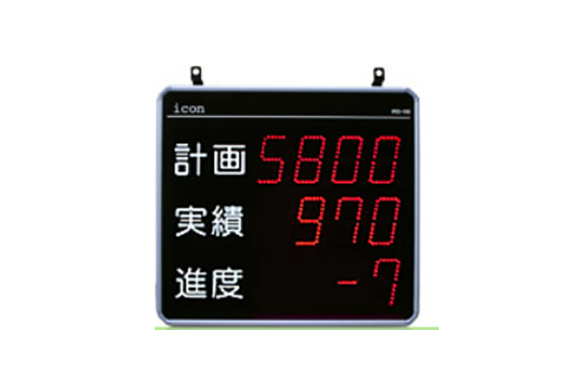
Icon ILU Series Production Management Display
Manufacturer: Icon Co., Ltd.
Model: ILU Series
Lineup
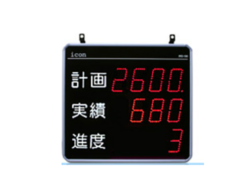
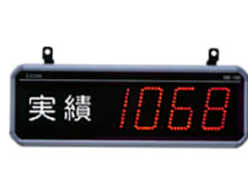
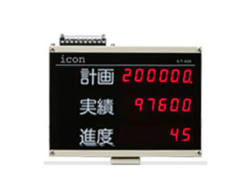
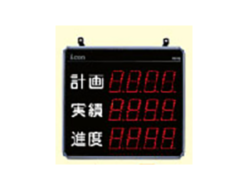
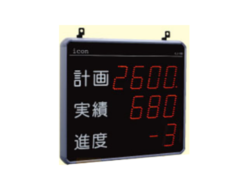
The “large display type (ILU-100)” and “medium display type (ILU-050)” have been added to the lineup, in response to popular demand for the previous model (ILT). With display sizes suited to production sites, they support optimal “visualization” at a wider range of sites.
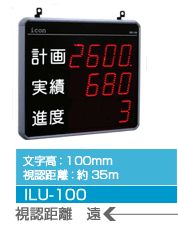
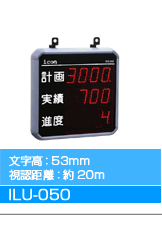
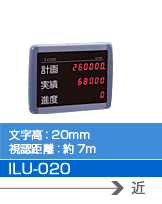
ILU-100 series (single-sided)

| exterior | Display row number | Number of digits displayed | Product Model |
|---|---|---|---|
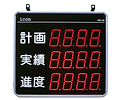 | 3 steps | 4 digits | ILU-100-34 |
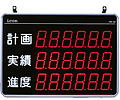 | 6 digits | ILU-100-36 |
*If you would like a model not listed above (2-tier, 4-tier, double-sided, etc.), please contact us.
ILU-050 series (single-sided)

| exterior | Display row number | Number of digits displayed | Product Model |
|---|---|---|---|
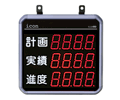 | 3 steps | 4 digits | ILU-050-34 |
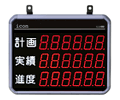 | 6 digits | ILU-050-36 |
*If you would like a model not listed above (2-tier, 4-tier, double-sided, etc.), please contact us.
ILU-020 series (single-sided)

| exterior | Display row number | Number of digits displayed | Product Model |
|---|---|---|---|
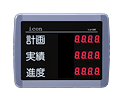 | 3 steps | 4 digits | ILU-020-34 |
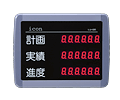 | 6 digits | ILU-020-36 |
ILU series common option setting device
| exterior | Product Model | |
|---|---|---|
 | ILU-NR | This is a setting device common to the ILU series. (Infrared (wireless) method) At least one is required as an option to change the settings of an ILU display unit and operate commands. It can be used by multiple ILU displays, so there is no need to purchase the same number as the display unit itself. |
*Setting devices with English key display are also available (Model: ILU-ENR).
Lineup notation explanation
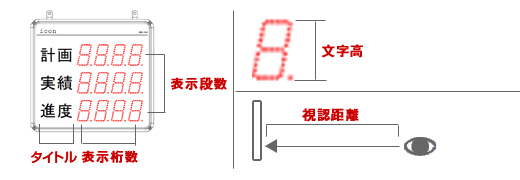
*If you would like to change the title text, please contact us.
Achieve “visualization” suited to the site with an even wider variety of display types
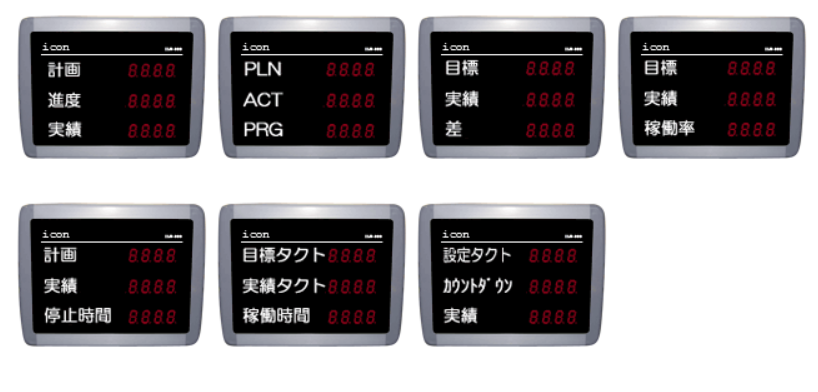
- The wide variety of “display types” has been further enhanced, and 53 types of data are now supported as standard.
In addition to standard “quantity information” such as planned numbers and actual numbers, it also supports “time information” such as operating hours, time progress, and average takt, and “non-operating information” such as stop time and number of stoppages. - The display type can be freely selected for each step, allowing for visualization that suits the site.
The display settings can be changed at any time, so even if the management content changes depending on the improvement step, it can be quickly adapted with just a simple setting change. - Sometimes you may want to check data that is not normally displayed. At such times, you can view the desired data at any time with command operations or one-touch keys. You can also easily modify the number of achievements and targets with command operations.
Display type setting example
Simple settings that can be used immediately
Since the planning settings are entered each time production is switched, there is no need to decide and pre-register the production sequence and production quantity for the day. Simply enter the two planning setting values (set takt time and planned quantity) and you can start measuring immediately. (Initial setting state)
Depending on the content you want to manage, you can use it even more simply, such as “just inputting the setting takt” or “just starting without inputting any settings.”
A low-cost, high-performance display that fully inherits the basic functions
This low-cost, highly functional display unit inherits the convenient basic functions that have been cultivated over many years in the IRD/IDD series.
Highly versatile
With 18 different system settings, you can set the measurement operation to suit your site.
Clock Features
By setting working hours, you can measure work time and break time separately. The target number count automatically stops during breaks, allowing for more realistic target display and progress management.
Auto Start/Clear Time
You can skip the daily repetitive operations.
Convenient measurement assistance functions
Pre-scaling function: Allows you to count n times or 1/n times the actual number.
Masking time setting: Prevents miscounting.
others
Memory backup function: Various settings and measurement data are retained even when the power is turned off.
* “Measurement data backup” was an option in the previous model (ILT), but it has become a standard feature in the ILU.
Operation mode LED: You can check the status at a glance, such as when resting or stopped.
New features make it even more convenient
Setting tact time is possible in 0.01 seconds/0.1 minutes units
- In addition to the conventional 1 second and 0.1 second units, it is now possible to set the tact time in 0.01 second and 0.1 minute units.
Eco-friendly features cut down on unnecessary power consumption
- You can set the display to automatically turn off when it’s time for a break. (You can also set the clock display.)
- The brightness adjustment function can reduce power consumption by up to 1/4.
Enhanced cumulative total function and support for direct cumulative total
- Individual (by plan) data and cumulative data can be displayed together.
- In addition to measuring by plan unit or daily unit, we have added support for a direct cumulative total function that measures by shift unit (up to a maximum of 3 shifts).
Flashing indicator indicates delay/advance
- If the progress (or operating rate) falls outside the set limit range, an alarm will be displayed (flashing) to notify you, allowing you to quickly detect any abnormalities on site.
Improved stopping function
- There are two stop inputs (Stop/Stop(2)), each of which can measure the stop time and the number of stops.
- It can also be applied to managing setup time.
- When it stops, the display will automatically switch to the stop time.
- Displaying outage data helps you manage and raise awareness of downtime.
One-touch key
With just one key on the setting device, you can easily check data that is not normally displayed.
- USER key: Displays data of the display type set by the user.
- Average tact key: Displays the average tact.
- Clock key: Displays the current time.
Normally, inputting +1 counts to the number of achievements or starting and stopping measurements is done by terminal input, but this can now be easily done using dedicated keys on the setting device. There is also a key to count -1 down to the number of achievements.
General specifications
| item | ILU-020 | ILU-050 | ILU-100 | ||||
|---|---|---|---|---|---|---|---|
| Rated voltage | AC100 to 240V 50/60Hz (However, the ILU-020 series requires the included AC adapter.) | ||||||
| Allowable voltage fluctuation range | 90% to 110% of the rated voltage | ||||||
| Operating temperature range | 0 to +40°C (no freezing or condensation) | ||||||
| Storage temperature range | -20 to +60°C (Note: Storage temperature range is required) | ||||||
| Ambient humidity | 35 to 85% RH | ||||||
| Dimensions (unit: mm) *Excluding protrusions | beside | 300 | 4 digits: 336 6 digits: 426 | 4 digits: 578 6 digits: 762 | |||
| vertical | 231 | 336 | 528 | ||||
| Depth | 56 | 58 | 58 | ||||
| weight | Approximately 1.6 kg | 4 digits: Approx. 2.6 kg 6 digits: Approx. 3.1 kg | 4 digits: Approx. 5.2 kg 6 digits: Approx. 6.8 kg | ||||
| Color/(Material) | outer wall | Purple (ABS UL95-V0) | |||||
| Back | Black (SPCC) | ||||||
| Display surface | Clear purple (acrylic) | ||||||
| Power consumption | 4 digits: 4W 6 digits: 6W | 4 digits: 9W 6 digits: 13W | 4 digits: 32W 6 digits: 46W | ||||
| accessories | common | Instruction manual: 1 piece (Japanese or English) | |||||
| By model | AC adapter…1 (cord length approx. 1.6m) | Power cord (5m)…1 | |||||
| Setting device (optional) | ILU-NR (Infrared setting device)…1 unit *Includes 2 AA batteries | ||||||
Functional specifications
| item | ILU-020 | ILU-050 | ILU-100 | |||
|---|---|---|---|---|---|---|
| function | Data collection and display | |||||
| display | Display characters | Red LED 7-segment display | ||||
| Character height | 20mm | 53mm | 100mm | |||
| (visibility distance) | Approximately 7m | Approximately 20m | Approximately 35m | |||
| Display type | Numbers, negative signs, and decimal points | |||||
| Display row number | 3 steps | |||||
| Number of digits displayed | 4 digits/6 digits | |||||
| Display surface | One side | |||||
| brightness | 4 levels of adjustment | |||||
| Display Data | Select one type for each stage from 53 types of display data (user can change settings) Plan number / Target number / Actual number / Progress / Operating rate / Achievement rate / Number of stops / Stop time (hours: minutes) / Operating time (hours: minutes) / Actual takt / Average takt / Average takt of the past 10 times / Current time / Remaining number 1 / Remaining number 2 / Time progress / Reverse prescale count / Takt countdown / SPM / SPH / Current lot No. / Set takt / Time operating rate / Actual takt countup / Stop time (minutes: seconds) / Operating time (minutes: seconds) / Number of stops (2) Number/Stops (2) Time (Hours: Minutes)/Stops (2) Time (Minutes: Seconds)/Cumulative Plan Number/ Cumulative Target Number/Cumulative Actual Number/Cumulative Progress/Cumulative Operating Rate/Cumulative Achievement Rate/Cumulative Stops/ Cumulative Stop Time (Hours: Minutes)/Cumulative Stops (2) Number/Cumulative Stops (2) Time (Hours: Minutes)/ Direct Cumulative Plan Number/Direct Cumulative Actual Number/Direct Cumulative Progress/Direct Cumulative Operating Rate/Direct Cumulative Achievement Rate /Direct Cumulative Stops/Direct Cumulative Stop Time (Hours: Minutes)/Direct Cumulative Stops (2) Number/ Direct Cumulative Stops (2) Time (Hours: Minutes)/Time Progress (Minutes)/Cumulative Time Progress (Minutes)/Direct Cumulative Time Progress (Minutes) | |||||
| Other Features | Progress delay/advance blinking display function, operation rate lower/upper limit blinking display function | |||||
| input | Input items | 4 points (achievement, stop (or target)), start, end (or stop (2)) | ||||
| Input specifications | Non-voltage contact input / NPN open collector input Impedance when shorted: 1 kΩ or less Residual voltage when shorted: 1.5 V or less Current flowing out when 0 Ω is shorted: Approx. 12 mA Minimum input time (actual) Sensor sensitivity HIGH: On time, off time both min 3 msec LOW: On time, off time both min 30 msec Regardless of the sensor sensitivity setting other than the actual , on time, off time both min 30 msec | |||||
| communication | function | Monitor and collect measurement data, change settings, and operate commands (partial) | ||||
| Communication specifications | RS485 (half-duplex communication) 1 port *Baud rate 4800 bps, data length 8 bits, stop bit 2 bits, no parity *Dedicated PC software “ILU Manager” (link) is available. (ILU Manager comes with an RS232C/RS232C/USB-RS485 communication converter.) *Up to 32 displays can be connected to one PC. The maximum total wiring distance is 1 km. | |||||
| (clock accuracy) | Within 1 minute per month (25°C) | |||||
| (memory retention) | More than 1 month (when fully charged) | |||||
*Items in parentheses are reference values. The values in the table above are not guaranteed.
*Product specifications and appearance may be changed without notice for improvement purposes.
REQUEST QUOTATION
PAYMENT

LINK